CTR Tool Pricing for Mimic Human Searching: What to Compare
You are weighing a CTR tool against its monthly price tag and wondering what the credits actually buy. A cheaper plan can hide fewer visits, thinner proof, or narrower search coverage. Comparing sticker prices alone tells you almost nothing.
This article breaks down what CTRTool charges for and how "mimic human searching" translates into credits, desktop versus mobile costs, and plan capacity. By the end, you will know which factors to compare beyond the monthly price and whether the pricing fits your campaign goals.
What Is CTRTool and What Does "Mimic Human Searching" Mean Here?
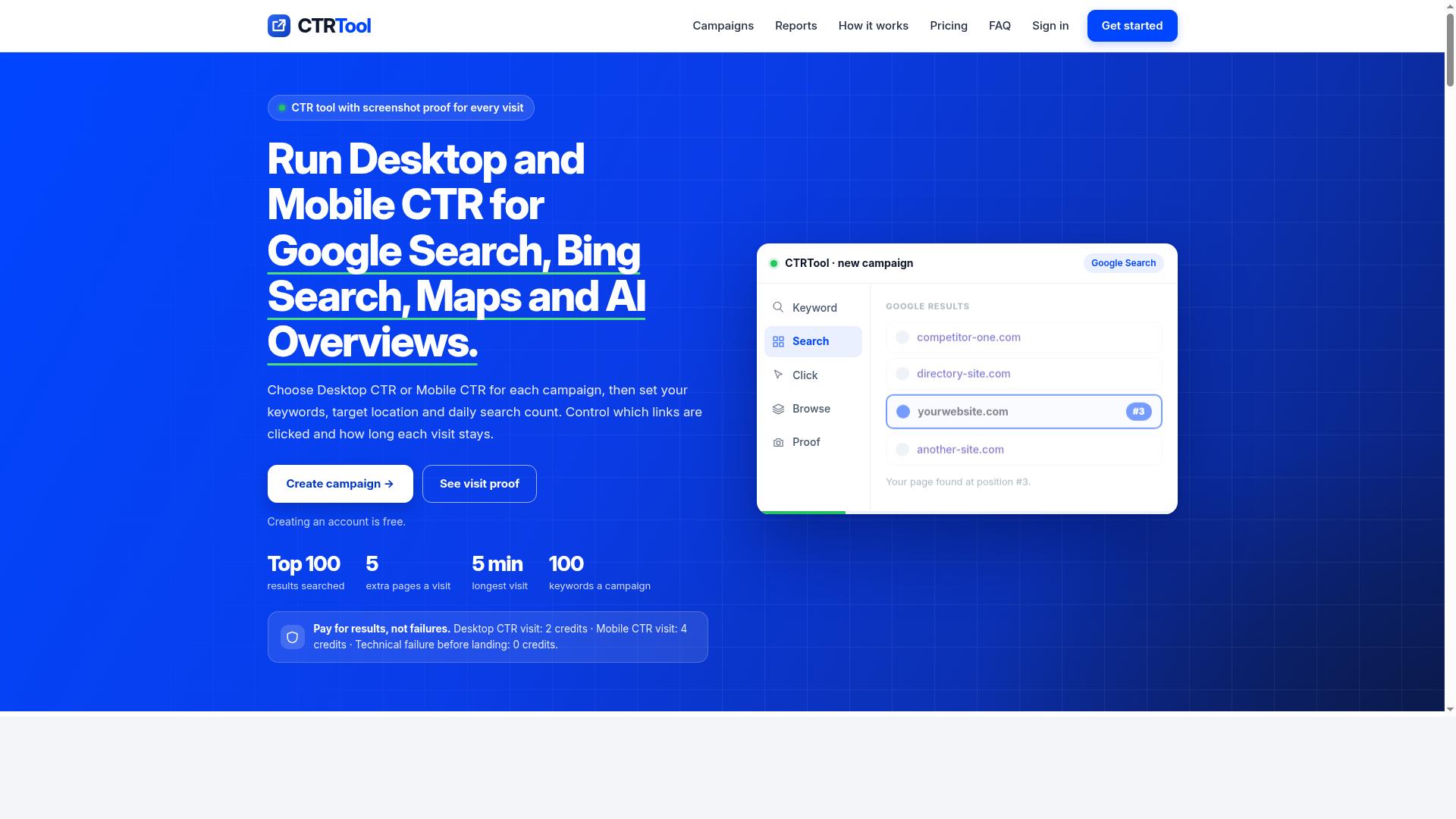
CTRTool is a SaaS platform that runs click-through-rate campaigns on Google Search, Bing Search, Google Maps, and AI Overviews, and its core promise is that every visit mimics a real human search session rather than a bot hit. The brand positions itself as a CTR tool with screenshot proof for every visit, so each campaign produces evidence you can review rather than an unverifiable traffic count.
That proof matters because click-through rate is only useful for search engine ranking when the clicks look genuine. Raw traffic sent at a page does nothing for SERP behavior signals. A simulated session does.
Operationally, "mimic human searching" means the tool reproduces the steps a real person takes:
- Entering a keyword into the search box
- Browsing the results page and scanning listings
- Clicking a specific result
- Staying on the page for a realistic dwell time
This is organic traffic simulation, not paid placement. The distinction shapes everything about how the product is priced, which is why the sections that follow focus on what to compare in a cost comparison.
CTRTool also publishes a clear caution on usage: start with tier links, PBNs and test properties, and use CTR on main sites with caution. That guidance is worth keeping in mind when you evaluate subscription tiers and monthly plans against the risk profile of the pages you plan to target.
Does CTRTool Pricing Actually Reflect Human-Like Search Behavior?
The short answer is yes: CTRTool's pricing is structured around credits that are consumed per simulated visit, so the cost scales with the volume of human-like search sessions you run rather than with clicks or impressions.
That distinction matters when you compare CTR tool pricing. A visit on CTRTool bundles the behavioral simulation itself, including the search, the click, and the dwell, plus the proof artifacts that document what happened.
The breakdown below shows how credits translate into visit capacity and how desktop and mobile sessions differ in cost.
What You Pay For: Credits, Not Clicks
CTRTool sells monthly credit bundles, not individual clicks, and every campaign action, whether a desktop or mobile visit, draws from that shared credit pool. A credit is the unit consumed per visit, and the subscription tiers are defined by credit volume rather than by a per-click rate.
This is where the model departs from pay-per-click thinking. There is no auction, no cost-per-click bidding, and no ad spend involved. You are paying for organic traffic simulation sessions, not for placements in a search ad system.
The published plans map credits to visit capacity as follows:
- Starter: $59/month for 2,000 credits, up to 1,000 Desktop CTR visits or 500 Mobile CTR visits
- Growth: $125/month for 5,000 credits, up to 2,500 Desktop or 1,250 Mobile visits, marked Recommended
- Scale: $399/month for 20,000 credits, up to 10,000 Desktop or 5,000 Mobile visits
- Agency: $699/month for 40,000 credits, up to 20,000 Desktop or 10,000 Mobile visits
Credit consumption is not uniform across every action. A Desktop CTR visit costs 2 credits, a Mobile CTR visit costs 4 credits, a verified search without a match costs 1 credit, and a technical failure before landing costs 0 credits. That last point is worth flagging in any cost comparison: failed attempts are not billed as full visits.
Unused credits roll over while your subscription is active and expire when cancellation takes effect, so leftover capacity is not lost between billing cycles as long as you stay subscribed. Creating an account is free, and custom development carries a separate, agreed one-time fee.
Desktop vs Mobile Visit Costs and Why Mobile Uses More Credits
A mobile CTR visit consumes twice the credits of a desktop visit on CTRTool, which is why the same 2,000-credit Starter plan yields up to 1,000 desktop visits but only 500 mobile visits. The same 2:1 ratio holds across the higher tiers, from Growth's 2,500 desktop or 1,250 mobile visits up to Agency's 20,000 desktop or 10,000 mobile visits.
The platform prices mobile visits at double the credit cost of desktop visits rather than treating both device types as interchangeable.
For anyone weighing pricing models, this ratio is a key line item in a cost comparison. A campaign plan built on mobile sessions needs roughly double the credit budget of the same volume in desktop sessions, so the device mix directly shapes which subscription tier fits.
A practical tip: choose Desktop CTR or Mobile CTR per campaign based on where your target keyword actually gets impressions. If your keyword tracking shows most searches arriving on phones, mobile visits are the realistic match, and budgeting for the higher credit cost is part of planning honestly. If desktop dominates, you get more sessions per credit.
Matching device targeting to real SERP behavior also keeps your organic traffic simulation aligned with how actual searchers reach the page, which is the entire point of mimic human searching.
CTRTool Pricing and Plans at a Glance
CTRTool offers three monthly subscription tiers-Starter, Growth, and Scale-each defined by a credit allowance that converts to a predictable number of desktop or mobile visits. All plans are billed monthly in USD, so there is no annual commitment to weigh against a discount.
The tier you need depends on two variables: your target visit volume and your device mix. Mobile visits consume more credits than desktop visits, so a campaign heavy on mobile emulation needs a larger allowance. The table below is a decision aid, not a credit tutorial.
Starter, Growth and Scale: Credits and Visit Capacity
Starter costs $59 per month for 2,000 credits (up to 1,000 desktop or 500 mobile visits), Growth costs $125 per month for 5,000 credits (up to 2,500 desktop visits), and Scale is the highest tier for larger campaign volumes. Here is how the three compare.
| Plan | Monthly Price (USD) | Credits | Desktop Visits | Mobile Visits |
|---|---|---|---|---|
| Starter | $59 | 2,000 | Up to 1,000 | Up to 500 |
| Growth | $125 | 5,000 | Up to 2,500 | Up to 1,250 |
| Scale | $399 | 20,000 | Up to 10,000 | Up to 5,000 |
Starter suits solo SEOs testing a handful of keywords, where a modest allowance covers a small keyword set without overcommitting budget.
Growth is marked Recommended and fits small agencies running several client campaigns at once, with room for a broader keyword tracking list.
Scale is positioned for higher-volume campaigns and multi-client operations that need a much larger monthly allowance. Note that CTRTool also lists a separate Agency tier at $699 per month for 40,000 credits, which sits above Scale for the heaviest workloads.
What the Pay-for-Results Model Excludes
CTRTool's model is not pay-per-click in the advertising sense: you are not bidding on keywords, paying per ad click, or buying guaranteed ranking positions. The subscription buys credits, and credits buy simulated visits. Nothing more is implied.
Specifically, the monthly plans do not include:
- Ad spend or participation in any PPC auction
- Any guaranteed ranking outcome or promised position change
- Per-click billing tied to search engine results
Results depend on campaign setup, including keyword position, location, and daily count. The tool provides proof and tracking of what was delivered rather than a ranking promise, so treat it as organic traffic simulation with reporting, not paid search.
This distinction matters for buyers comparing pricing models. A CTR campaign and a PPC campaign can both touch the same keywords, but only one involves bidding. CTRTool sits firmly on the subscription side, and unused credits roll over while your subscription stays active.
What to Compare Beyond the Monthly Price
Monthly price alone is a poor way to compare CTR tools, because the real differentiators are proof quality, campaign controls, and platform coverage. Before comparing dollar amounts, compare what each tool delivers per visit. A cheap plan that returns only aggregate numbers tells you far less than a plan that returns verifiable session evidence.
Use this buyer's checklist before you look at subscription tiers or annual billing:
- Proof artifacts per visit: screenshots, visit paths, position tracking
- Behavioral controls: keyword rules, geo-targeting, daily pacing, click patterns
- Supported surfaces: which search engines and features the tool actually covers
These three factors decide whether a plan produces usable data or just a visit count, and they matter more than the headline cost comparison.
Proof per Visit: Screenshots and Full Visit Paths
CTRTool provides screenshot proof for every visit, search and landing screenshots as separate proof images, plus the full visit path so you can verify the session actually happened.
This is a different category of evidence from tools that only report aggregate visit counts. A number in a dashboard says a session was recorded. A screenshot pair and a visit path say what the session looked like and where it went.
For agencies reporting to clients, that distinction matters. A monthly total invites questions you cannot answer. Proof images and path logs give the client something concrete to review alongside keyword position trends over time.
For SEOs diagnosing a campaign, proof per visit answers the practical question of whether the setup is working as intended. Diagnosis needs artifacts, not summaries.
Campaign Controls That Affect Value: Keywords, Location, Daily Count, Click Behavior
The value of a CTR campaign depends heavily on the controls you can set: which keywords to target, which location to simulate, how many visits to run per day, and how the click behavior is randomized. Each control changes what the campaign can realistically represent.
Keyword selection comes with an eligibility rule. The page must appear within the top 100 organic results for the chosen keyword and location. That constraint keeps campaigns grounded in results that actually exist for the query.
Location targeting covers country, optionally state and city, or "Any country" for a mixed spread. Visits that cannot verify the requested location use no credits, so geo-targeting failures do not quietly consume budget.
Daily visit count controls pacing. Spreading searches across days, hours and a chosen time zone, with daily goals resetting at 00:00 UTC, helps avoid unnatural spikes in a single window. Setup supports now, spread out, or gap timing.
Click behavior settings cover click order, scrolling time, and visits up to five minutes with up to five additional internal pages. Target URL, internal page URLs and link text are also configurable, which shapes session duration and dwell time patterns.
Maps campaigns check up to 50 listings (about five pages), and AI Overview campaigns need a matching source link. Those constraints affect which keywords are viable. Compare controls against your actual keyword list, not against a feature checklist.
Coverage Across Google Search, Bing, Maps and AI Overviews
CTRTool runs campaigns across four surfaces, Google Search, Bing Search, Google Maps, and AI Overviews, so you can target the environments where your target keywords actually appear.
- Google Search CTR: enter the search keyword, click the organic result, choose desktop or mobile, with search depth up to the top 100 results and optional internal pages
- Bing Search CTR: the same mechanics applied to Bing
- Google Maps CTR: find the business listing and click its website link, checking up to 50 listings across about five pages, with city targeting
- AI Overview CTR: find your website in the overview and click its source link, which requires a matching source link and allows citation order tracking
Multi-surface coverage changes the value calculation. A tool that only covers Google Search leaves Maps visibility and AI Overview presence unaddressed, and those are separate environments with separate position tracking. Reports cover search positions, Maps listing order, and AI citation order, so progress on each surface is visible rather than blended into one number.
Coverage also affects how far a single credit balance stretches. CTRTool shares one balance across all campaign types, websites and keywords, with support for up to 100 campaigns and 100 keywords each. Four surfaces on one balance is a more useful comparison point than a per-visit rate that only applies to one engine.
Who Gets the Most Value From CTRTool's Pricing
CTRTool's pricing delivers the most value to SEO practitioners and agencies running repeatable CTR campaigns across multiple clients or keywords, rather than to one-off users testing a single page. The platform is built for people who treat click-through rate and organic traffic simulation as an ongoing part of their search strategy.
For agencies, the value math is straightforward. A monthly subscription can be amortized across several client campaigns, so the effective cost per client drops as the account handles more work. That fits teams managing sites across Google Search, Bing Search, Google Maps and AI Overviews at the same time.
Solo SEOs face a different calculation. A focused keyword set on one site often makes the Starter tier sufficient, since there is no client roster to spread costs across. Paying for capacity you will not use rarely makes sense at this scale.
CTRTool's own guidance also mentions tier links, PBNs and test properties. These are relevant to practitioners weighing advanced setups, but they carry real risk and should be treated with caution rather than as a default tactic.
Final Verdict: Is CTRTool Pricing Worth It for Human-Like CTR Campaigns?
CTRTool's pricing is worth it if you need verifiable, human-like CTR campaigns across multiple search surfaces and can commit to a monthly plan; it is less compelling if you only need occasional, single-keyword tests. The credit-based model keeps spending tied to actual usage rather than a flat tier you may never exhaust, which suits teams running steady organic traffic simulation.
The 2:1 desktop-to-mobile credit ratio matters in any cost comparison. Mobile emulation costs more credits per visit, so buyers should map their device targeting mix before judging a plan's real value. The proof-per-visit differentiator also separates CTRTool from tools that bill without showing evidence of each delivered visit.
Multi-surface coverage adds further weight to the monthly commitment. Campaigns spanning several search surfaces get more from a single subscription than a narrow test would. For agencies, the verdict is favorable: recurring client campaigns justify monthly plans and reward the credit structure. For solo SEOs, it depends on volume. A one-off keyword experiment rarely merits a subscription, while ongoing keyword tracking and click pattern work does.
Questions about plans can go to vaibhav@autoblogging.ai, the support email listed in the FAQ. Current plans and legal notices are published on the official site, ctrtool.com, where the Terms of use and Legal notices pages sit alongside Support and account sign-in.
Frequently Asked Questions
What should I compare first when evaluating CTR tool pricing?
Start by comparing what each plan actually delivers per dollar, not just the headline price. With CTRTool, every plan is built on credits, and the credit-to-visit ratio differs between Desktop and Mobile campaigns, so check how many real visits a plan covers for the campaign type you need. Also confirm whether proof of each visit is included, since CTRTool provides screenshot proof for every visit as a standard part of the service.
How do CTRTool's monthly plans differ from each other?
CTRTool offers monthly plans in USD that scale by credits: Starter at $59/month for 2,000 credits (up to 1,000 Desktop CTR visits or 500 Mobile CTR visits) and Growth at $125/month for 5,000 credits (up to 2,500 Desktop or 1,250 Mobile visits). Because Mobile visits use credits faster than Desktop visits, compare plans based on your expected mix of Desktop and Mobile campaigns. Choose the tier that matches your campaign volume rather than the lowest sticker price.
Why does "mimic human searching" matter when comparing prices?
Campaigns that mimic human searching aim to produce realistic search-and-click behavior, which is the core purpose of a CTR tool. CTRTool runs Desktop and Mobile CTR campaigns for Google Search, Bing Search, Maps and AI Overviews, and provides screenshot proof for every visit along with full visit paths. When comparing pricing, weigh whether a tool gives you this level of verification, since proof affects the real value of what you're paying for.
Should I compare tools by price alone or by features included?
Features should carry at least as much weight as price. Check whether a plan includes the campaign types you need, such as Google Search, Bing Search, Google Maps and AI Overviews, and whether keyword position tracking over time is part of the offering. CTRTool includes keyword position tracking, including Maps listing order and AI citation order, so factor these capabilities into your price comparison instead of comparing credit counts in isolation.
What campaign requirements affect the value I get from a plan?
Eligibility rules determine whether your credits produce results, so confirm them before comparing prices. With CTRTool, the page must appear within the top 100 organic results for the chosen keyword and location, Maps campaigns check up to 50 listings (about five pages), and AI Overview campaigns need a matching source link. A plan is only good value if your targets meet these requirements.
How can I evaluate support and targeting options before committing to a plan?
Check that the tool lets you target the locations your campaigns need and that support is reachable when questions come up. CTRTool is a global online service where campaigns can target a chosen country and optionally a state and city, or "Any country" to use a mix of supported locations, and support is available at vaibhav@autoblogging.ai. Comparing these practical details alongside price helps you avoid surprises after subscribing.