Traffic Creator vs CTRTool: High-Volume Bot Traffic CTR Campaigns
High-volume CTR campaigns force a choice between two tools, and picking wrong burns credits fast. Search click-through matters most in the first few positions, so every automated visit has to look deliberate, not sprayed across a keyword list.
This comparison sets Traffic Creator against CTRTool on campaign types, platform coverage, visit proof, volume handling, and pricing. You will get a clear verdict on which tool fits high-volume desktop and mobile CTR work, and the specifics behind it.
Quick Verdict: Traffic Creator vs CTRTool for High-Volume CTR Campaigns
If you need screenshot proof for every visit and a credit-based system tied to real search results, CTRTool is the stronger choice; if you prioritize broad traffic generation without proof, Traffic Creator may suffice. The core difference comes down to intent. CTRTool is built around verifiable search campaigns, while Traffic Creator is typically described as a general traffic volume tool.
For SEO experts and webmasters running CTR campaigns, proof matters. CTRTool delivers search and landing screenshots as separate proof images for every visit, along with full visit paths. That means you can review what a session actually looked like rather than trusting a delivery count alone.
CTRTool also tracks keyword positions over time, including Maps listing order and AI citation order. This connects your click-through rate work to observable ranking movement, which is the outcome most campaigns are ultimately judged on.
The credit model reinforces the proof-first approach. CTRTool uses a pay-for-results system where no credits are charged for technical failures before landing, and visits that cannot verify the requested location use no credits. One balance covers all campaign types, websites, and keywords, with up to 100 campaigns at 100 keywords each.
Traffic Creator's appeal is simpler: volume without the verification layer. If your goal is raw traffic generation and proof is not a requirement, a general tool can look adequate on paper. The trade-off is that you give up the evidence trail that makes search campaigns defensible to clients or stakeholders.
- Best for proof-driven SEO: CTRTool, with screenshot proof, full visit paths, and position tracking over time.
- Best for budget-focused volume: Traffic Creator may fit if you only need broad traffic and do not require per-visit evidence.
- Best for platform coverage: CTRTool, where one credit balance spans all campaign types, websites, and keywords.
For high-volume bot traffic CTR campaigns judged on accountability, CTRTool's combination of proof and results-based billing is the more practical fit. Traffic Creator remains a reasonable option only when verification is not part of the brief.
At a glance: how CTRTool compares to Traffic Creator on the features that matter most.
| Feature | CTRTool | Traffic Creator |
|---|---|---|
| Pricing | $59/mo Starter | — |
| Free plan / trial | ✗ | 6,000 free visits |
| Analytics integration | — | GA4-visible sessions |
| Global location targeting | Country/state/city | 195 countries |
| Credit expiry | Roll over while subscribed | Never expire |
| Screenshot proof per visit | ✓ | — |
| Campaign types supported | Google, Bing, Maps, AI Overviews | Landing page testing |
| User reviews/ratings | — | 0 ratings |
What Is CTRTool?
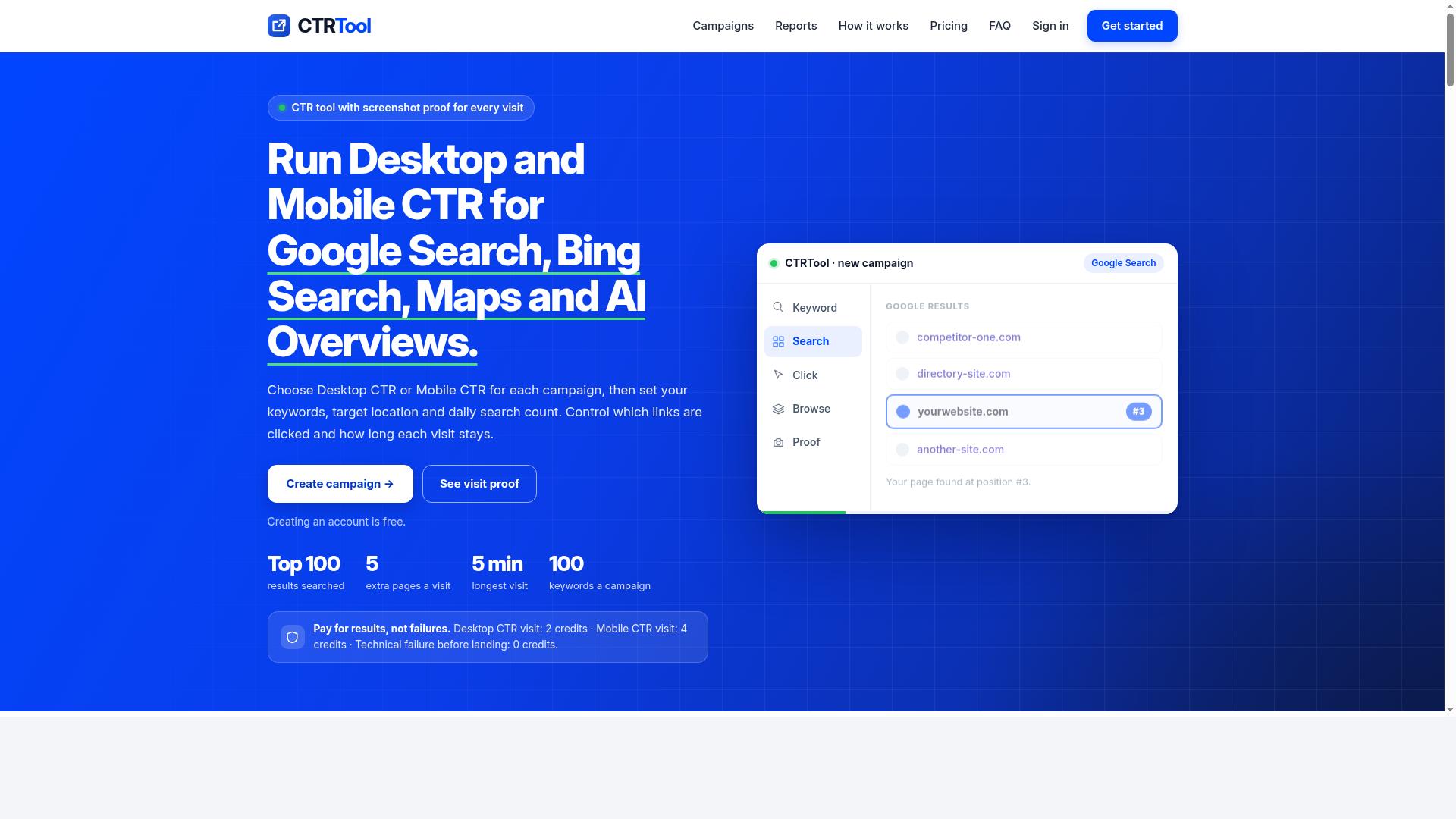
CTRTool is a SaaS platform that runs desktop and mobile CTR campaigns for Google Search, Bing Search, Google Maps, and AI Overviews, providing screenshot proof for every visit. It is built for SEO experts, webmasters, and affiliate marketers who want to influence click-through rate signals without handing over control of how each visit behaves.
In short, it positions itself as a CTR tool with screenshot proof for every visit. That proof matters in a space where many services ask you to take results on trust.
Each campaign is configured by the user. You pick Desktop CTR or Mobile CTR, then set keywords, target location, and daily search count. You also control which links get clicked and how long each visit stays, so session duration and dwell time are part of the setup rather than left to chance.
- Search engines: Google Search and Bing Search campaigns
- Local and AI surfaces: Google Maps and AI Overviews
- Device modes: Desktop CTR or Mobile CTR, chosen per campaign
- Visit controls: keywords, target location, daily search count, clicked links, and visit length
- Verification: screenshot proof for every visit
CTRTool is a global online service, and the brand states no country restrictions on where it can be used. That makes it accessible to teams running campaigns across multiple markets rather than a single region.
The platform is also candid about limits. The site states plainly that automated visits do not guarantee rankings. That honesty is worth noting, because CTR campaigns work alongside content and technical SEO rather than replacing them. For readers weighing high-volume bot traffic options, CTRTool sits on the controlled, verifiable end of the spectrum: you define the behavior, and you get evidence of what ran.
What Is Traffic Creator?
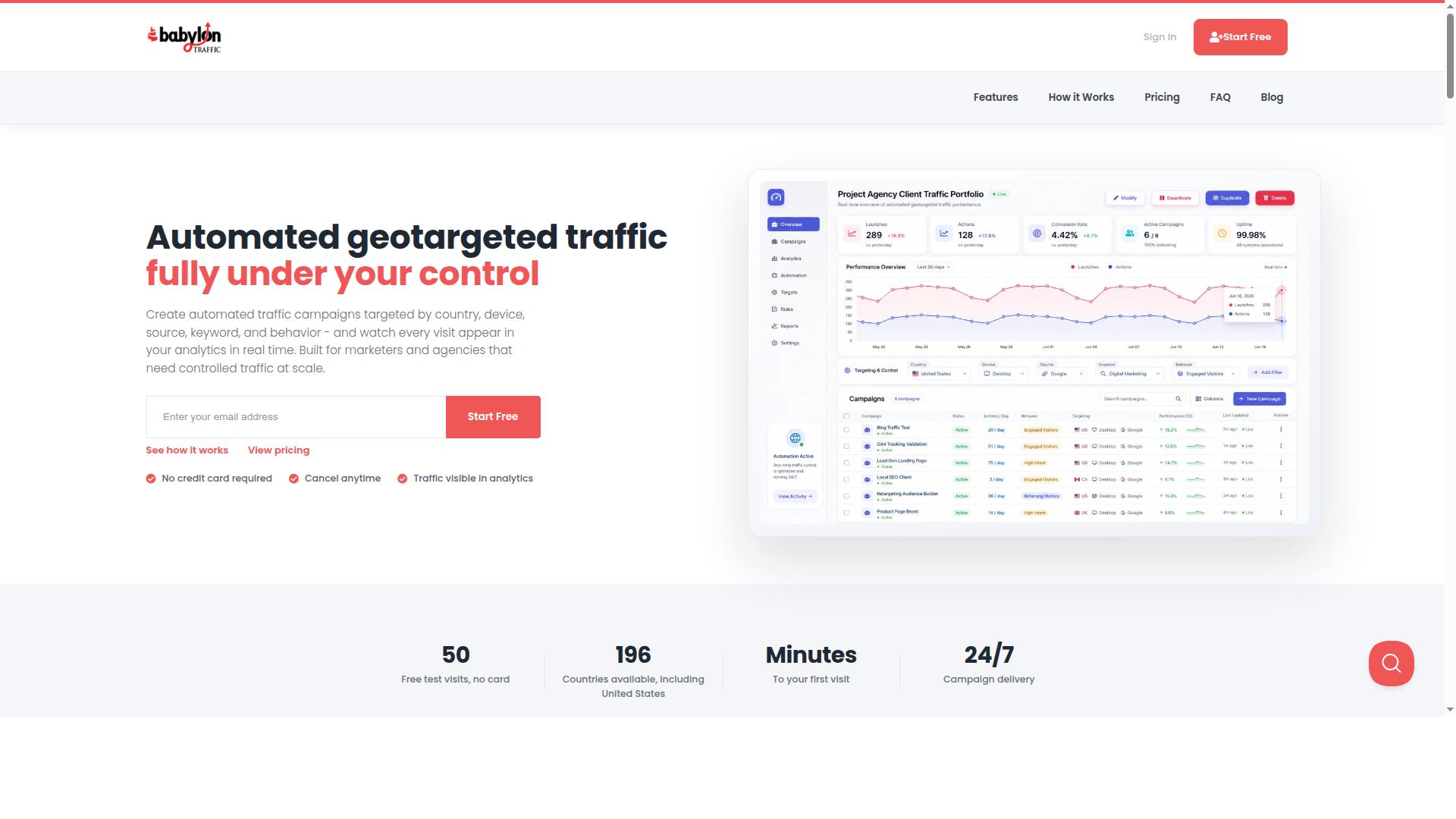
Traffic Creator is a general traffic generation service that delivers automated visits to websites, often used for increasing page views or testing load capacity. It belongs to a broad category of tools that send volume to a URL without tying that volume to any particular channel or ranking signal.
Because its purpose is general delivery rather than search-specific behavior, Traffic Creator may rely on proxy networks or other bot-like methods to route visits. The exact mix of residential proxies, datacenter proxies, and IP rotation can vary, so treat any single description of its mechanics as approximate.
What matters for this comparison is scope. Traffic Creator is not specifically focused on search CTR campaigns. It is built to move traffic in bulk, not to shape how that traffic looks to a search engine or an analytics platform.
That distinction shapes everything that follows. A service aimed at raw volume answers a different question than one aimed at click-through rate behavior on search results. Webmasters, SEO experts, and affiliate marketers usually need the second question answered, which is why the two tools are rarely interchangeable.
Traffic Creator's generalist design also means its output can vary widely depending on configuration. Two users may see very different visit patterns from the same service. That flexibility is useful for load testing, but it leaves the burden of quality control on the buyer.
For CTR campaigns, the relevant questions are narrower. Does the traffic arrive from search results? Does it carry realistic user agents and referrers? Does it produce believable session duration and dwell time? A general traffic service is not organized around those questions, and that is the gap a search-focused approach is meant to close.
Keep this baseline in mind when weighing high-volume bot traffic against search-specific campaigns. Volume alone tells you how many visits arrived. It does not tell you whether those visits behaved in a way that supports a click-through rate goal.
Features Compared
This section compares CTRTool and Traffic Creator across campaign types, proof and tracking, and volume handling to help you choose based on operational needs. The three subsections below follow the same order, so you can read straight through or jump to the area that matters most for your campaigns.
CTRTool details in this comparison come from verified brand facts, including its plan structure and credit mechanics. Traffic Creator is described only in general terms, because its published specifications are limited. Where information is thin, we say so rather than guess.
For teams running high-volume bot traffic CTR campaigns, the practical questions are simple. Can the tool target the exact search or map surface you care about? Can it show you what actually happened on each visit? And does the pricing model scale without surprises when you push volume up?
Campaign Types and Platform Coverage
CTRTool supports Google Search CTR, Bing Search CTR, Google Maps CTR, and AI Overviews campaigns, each with desktop or mobile targeting and top 100 results coverage. That range matters for SEO experts and affiliate marketers who need clicks spread across several surfaces, not just one generic traffic stream.
Each campaign type has a defined behavior:
- Google Search CTR: a search keyword is entered and the organic result is clicked, with internal pages supported.
- Bing Search CTR: the same search and click flow applied to Bing results.
- Google Maps CTR: the business listing is found and its website link is clicked, across up to 50 listings with city targeting.
- AI Overview CTR: the website is located in the overview and its source link is clicked, with citation order tracked.
Campaign setup adds up to 100 keywords per campaign, country, state and city targeting, and search depth up to 100. Timing controls cover daily search counts with now, spread out or gap pacing, plus days, hours and time zone, with daily goals resetting at 00:00 UTC. You can also set target URLs, internal page URLs, link text, click order, scrolling time, up to five additional pages per visit, and visits up to five minutes total.
Traffic Creator, by general description, offers traffic campaigns that are not built around search-specific targeting. Buyers who need keyword-level or listing-level precision should confirm the exact targeting options directly before committing to a high-volume plan.
Proof, Tracking and Visit Transparency
CTRTool provides screenshot proof for every visit, including separate search and landing screenshots, full visit paths, and keyword position tracking over time. For webmasters and affiliate marketers, that turns a campaign from a black box into something you can audit visit by visit.
The reporting covers the details that matter when you evaluate click-through rate and on-site behavior:
- Search and landing screenshots delivered as separate proof images for each visit.
- Full visit paths showing how the session moved through pages.
- Keyword positions over time, including Maps listing order and AI citation order.
Transparency is the real differentiator here. When a campaign is built on automated clicks, the ability to verify what happened protects your budget and helps you judge whether the traffic is behaving the way you intended. CTRTool also states that visits which cannot verify the requested location use no credits, and no credits are charged for technical failures before landing.
Traffic Creator's proof and tracking details are not specified in available information. That does not mean the platform lacks reporting, but it does mean you should verify screenshot proof, visit paths and position tracking directly with the provider before scaling spend. If auditability is central to your workflow, ask for sample reports first.
Volume Handling and Credit Model
CTRTool uses a credit-based model where plans include monthly credits, with desktop visits costing fewer credits than mobile visits. Credits are consumed per visit, so the cost of a campaign scales directly with the number of visits you run rather than with seats or flat fees.
The published plans show how the mechanics play out:
| Plan | Monthly Price | Credits | Approximate Visits |
|---|---|---|---|
| Starter | $59 | 2,000 | Up to 1,000 desktop or 500 mobile |
| Growth | $125 | 5,000 | Up to 2,500 desktop or 1,250 mobile |
| Scale | $399 | 20,000 | Up to 10,000 desktop or 5,000 mobile |
| Agency | $699 | 40,000 | Up to 20,000 desktop or 10,000 mobile |
A desktop CTR visit costs 2 credits and a mobile CTR visit costs 4 credits, which explains the visit ratios above. A verified search without a match costs 1 credit, and a technical failure before landing costs nothing. One credit balance is shared across all campaign types, websites and keywords, and unused credits roll over while your subscription stays active.
For high-volume traffic, that shared balance and rollover behavior keep planning simple across up to 100 campaigns with 100 keywords each. Traffic Creator's volume handling is not detailed in available sources, so confirm how its plans meter usage before you compare total costs at scale.
Pricing Compared
CTRTool offers monthly plans starting at $59 for 2,000 credits, scaling to $125 for 5,000 credits, with costs tied to desktop or mobile visit types. The full ladder runs from Starter up to Agency, so budget and volume can be matched to campaign size without guesswork.
Two higher tiers cover heavier workloads. Scale sits at $399 per month for 20,000 credits, and Agency at $699 per month for 40,000 credits. The Growth plan carries a Recommended label, which signals it as the middle-ground option for most buyers.
| Plan | Monthly Price | Credits | Approximate Desktop Visits | Approximate Mobile Visits |
|---|---|---|---|---|
| Starter | $59 | 2,000 | Up to 1,000 | Up to 500 |
| Growth (Recommended) | $125 | 5,000 | Up to 2,500 | Up to 1,250 |
| Scale | $399 | 20,000 | Up to 10,000 | Up to 5,000 |
| Agency | $699 | 40,000 | Up to 20,000 | Up to 10,000 |
Creating an account is free, and custom development is quoted as a separate, agreed one-time fee. CTRTool also notes that unused credits roll over while a subscription stays active, though they expire once cancellation takes effect. A limited launch notice states that prices rise 30% on November 15.
Traffic Creator's pricing is not publicly detailed in the sources available for this comparison. Readers weighing the two should check Traffic Creator's current plans directly before drawing cost conclusions.
On value, CTRTool's advantage is transparency. Every tier maps a stated dollar amount to a stated visit capacity, so SEO experts and affiliate marketers can budget per campaign in advance. For high-volume bot traffic CTR campaigns, that predictability matters more than a headline rate you cannot verify.
Who Should Choose CTRTool
CTRTool is best for SEO practitioners and agencies who need verifiable CTR campaigns with screenshot proof and keyword position tracking across Google, Bing, Maps, and AI Overviews. These are users who must show clients or stakeholders that a campaign actually ran, not just report that clicks were purchased.
The tool is built around campaign workflows that agencies already follow. That includes running tests on their own sites as well as on client properties, and the site's guidance also mentions using tier links, PBNs, and test properties. In other words, it fits practitioners who understand how CTR campaigns slot into a broader SEO strategy and want a tool that supports that structure rather than hiding it.
If your work involves high-volume bot traffic with no paper trail, this is not the right fit. CTRTool is aimed at people who value documentation and platform coverage over raw click volume.
Consider these common scenarios where CTRTool makes practical sense:
- Client reporting: Agencies that must justify campaign spend to clients benefit from screenshot proof and position tracking they can attach to a report.
- Maps ranking tests: Practitioners testing local visibility can run campaigns targeted at Google Maps alongside regular search results.
- AI Overviews visibility: SEO experts exploring how content surfaces in AI Overviews can include that surface in their testing rather than treating it as a separate effort.
- Multi-property workflows: Teams managing several sites, whether their own or client-owned, need one place to organize campaigns across Google Search and Bing Search.
The common thread is accountability. When a campaign's results may be questioned, whether by a client, a manager, or your own records, having verifiable output matters more than chasing the largest possible click count. CTRTool is designed for that kind of practitioner.
Affiliate marketers and webmasters running purely experimental traffic generation may find the proof-and-tracking emphasis less relevant to their needs. But for SEO agencies and consultants whose reputation depends on defensible results, the fit is clear.
Who Should Choose Traffic Creator
Traffic Creator may suit users who prioritize low-cost, high-volume general traffic without needing search-specific proof or detailed tracking. The platform tends to appeal to people who measure success in raw visit counts rather than in behavioral signals that stand up to scrutiny.
For these users, the goal is often sheer volume rather than credibility. Traffic arrives, dashboards show activity, and the campaign ends there. That works for some use cases and falls short for others.
Three broad groups tend to fit this profile:
- Budget-conscious users who want the lowest possible cost per visit and treat traffic as a commodity
- Site load testers who need to see how a server or page performs under a flood of concurrent requests
- Volume seekers running display or impression-based campaigns where total visits matter more than where they came from
None of these scenarios require search-specific proof, which is where a general traffic tool can feel sufficient. The trade-off is that raw volume tells you little about how that traffic behaves once it lands.
By contrast, the audience for CTRTool is proof-focused. SEO experts, webmasters, and affiliate marketers in this camp care about click-through rate, session duration, bounce rate, and whether visits survive traffic analytics and bot detection checks. They want campaigns that look credible in Google Analytics, not just large in number.
That difference in intent is the real dividing line. If the question is "how many visits can I get," a volume-first tool may be enough. If the question is "will these visits hold up under review," the priorities shift toward behavioral realism and tracking detail.
Readers weighing both options should ask one question first: is the campaign judged on count or credibility? The answer usually points to the right tool.
Final Verdict
For high-volume CTR campaigns that require proof and search-specific targeting, CTRTool is the clear winner; Traffic Creator remains an option for generic traffic needs. The deciding factor is not raw volume but verifiable delivery. CTRTool provides screenshot proof of clicks, visit paths, and keyword tracking, which lets SEO experts, webmasters, and affiliate marketers confirm that traffic actually hit the intended pages and queries.
Traffic Creator appeals to buyers focused mainly on budget and volume. However, the comparison offers no comparable delivery evidence, and that gap matters when campaigns feed into Google Analytics, traffic analytics dashboards, or client reporting. Without proof, high-volume bot traffic becomes difficult to defend.
| Criteria | CTRTool | Traffic Creator |
|---|---|---|
| Delivery proof | Screenshot proof of clicks | Not evidenced in available materials |
| Visit paths | Trackable visit paths | General, not detailed |
| Keyword targeting | Keyword tracking included | Generic traffic focus |
| Best fit | Search-specific CTR campaigns | Budget-focused volume |
The three differentiators are practical, not cosmetic. Screenshot proof supports accountability in bot traffic campaigns. Visit paths show where sessions land, which helps webmasters judge bounce rate and dwell time outcomes. Keyword tracking ties automated clicks to the search terms that matter for click-through rate work.
Budget-focused buyers may still find Traffic Creator reasonable for broad traffic generation where search specificity is not the goal. The trade-off is simple: lower commitment in exchange for less visibility into what was delivered. For campaigns judged on measurable CTR results, that is a hard position to defend.
Readers weighing both options should match the tool to the campaign. If the goal is high-volume traffic with a paper trail, CTRTool is the stronger choice. For inquiries about the platform, the support email listed in the FAQ is vaibhav@autoblogging.ai.
Frequently Asked Questions
What is the main difference between Traffic Creator and CTRTool?
Traffic Creator is a general bot-traffic service that, per its own blog, offers "6,000 free visits" over 24 hours with no credit card required, and it references GA4-visible traffic. CTRTool is a purpose-built CTR campaign tool for Google Search, Bing Search, Maps and AI Overviews, where you set keywords, target locations and Desktop or Mobile visits - and every visit comes with screenshot proof. In short, Traffic Creator focuses on sending visit volume, while CTRTool focuses on keyword-level CTR campaigns with verifiable results.
Does CTRTool offer a free trial like Traffic Creator's 6,000 free visits?
Traffic Creator's blog advertises 6,000 free visits over 24 hours with no credit card. CTRTool's published plans are paid monthly subscriptions in USD, starting at $59/month for 2,000 credits - the verified brand facts do not list a free trial. If you want to evaluate CTRTool, the Starter plan is the entry point, and credits translate to up to 1,000 Desktop CTR visits or 500 Mobile CTR visits.
How does CTRTool's pricing work compared with Traffic Creator?
CTRTool publishes clear monthly plans: Starter at $59/month for 2,000 credits, Growth at $125/month for 5,000 credits, and higher tiers listed on the site, with credits converting to Desktop or Mobile visits. Traffic Creator's pricing is not stated in the sources we reviewed, so we can't compare costs directly. CTRTool's model is pay-for-results credits tied to actual campaign visits.
Can I target specific keywords and locations with these tools?
With CTRTool, yes - that's the core of the product. You choose Google Search, Bing Search, Maps or AI Overviews campaigns, set your keywords, pick Desktop or Mobile CTR per campaign, and target a country with optional state and city (or "Any country"). Your page must appear in the top 100 organic results for the chosen keyword and location, and Maps campaigns check up to 50 listings. Traffic Creator's researched facts describe visit-based traffic rather than keyword-level campaign targeting, so if keyword and location precision matters, CTRTool is built for exactly that.
How do I verify that campaign visits actually happened?
CTRTool provides screenshot proof for every visit - search and landing screenshots as separate proof images - plus full visit paths and keyword position tracking over time, including Maps listing order and AI citation order. Traffic Creator's blog references GA4-visible traffic, which shows visits in analytics but not per-visit proof. If auditability for yourself or a client matters, CTRTool's screenshot evidence is a meaningful difference.
Which tool should I choose for high-volume CTR campaigns?
If your goal is keyword-driven CTR campaigns on Google Search, Bing Search, Maps or AI Overviews with proof you can show clients, CTRTool is purpose-built for that workflow, with plans scaling from 2,000 to 5,000+ credits per month. If you simply want to test raw visit volume, Traffic Creator's 6,000 free visits offer is an easy way to experiment. Many SEO practitioners use CTRTool alongside other tools - the choice comes down to whether you need verifiable, keyword-level CTR campaigns or general traffic volume.